Title: WP Code Pre
Author: zeshanb
Published: 19. September 2017
Last modified: 8. August 2021
---
Plugins durchsuchen
Dieses Plugin **ist nicht mit den jüngsten 3 Hauptversionen von WordPress** getestet
worden. Es wird möglicherweise nicht mehr gewartet oder unterstützt und kann Kompatibilitätsprobleme
haben, wenn es mit neueren Versionen von WordPress verwendet wird.
# WP Code Pre
Von [zeshanb](https://profiles.wordpress.org/zeshanb/)
[Herunterladen](https://downloads.wordpress.org/plugin/wp-code-pre.1.0.1.zip)
* [Details](https://de-at.wordpress.org/plugins/wp-code-pre/#description)
* [Rezensionen](https://de-at.wordpress.org/plugins/wp-code-pre/#reviews)
* [Installation](https://de-at.wordpress.org/plugins/wp-code-pre/#installation)
* [Entwicklung](https://de-at.wordpress.org/plugins/wp-code-pre/#developers)
[Support](https://wordpress.org/support/plugin/wp-code-pre/)
## Beschreibung
This simple plugin was created because of security concerns related to using PHP
preg_replace directly. With transition to PHP7, it’s advised to use preg_replace_callback
instead.
This plugin uses built-in supported feature of PHP-„highlight_string“. This plugin
filters post content inside custom html block for
and helps display html and other source code.
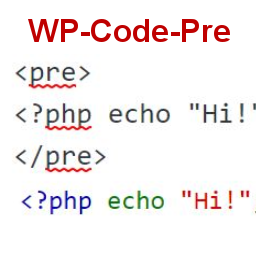
To display source code in your posts, surround source code with pre tags. Plugin
will filter for pre tags and add inline styles that may be modified using your wordpress
theme’s css stylesheet.
For WordPress versions 5.0 and above, HTML pre tags can be used within html block
or, classic block. Use the three dot menu to convert to html when there is a invalid
content error while post editing.
## Screenshots
* [[
* Code preview on blog post or page
* [[
* Typing code in text tab of WordPress Admin area when writing Post.
* [[
* Convert block to html while editing to make modifications to existing source
code display
## Installation
1. Download the plugin
2. Upload the wp-code-pre.zip folder to your site’s wp-content/plugins directory
3. Activate the plugin in the WordPress Admin Panel
4. Surround source code with `
` tags, when writing in blog posts using
Gutenberg with classic block and „Edit as HTML“ or, html block
## FAQ
Why there aren’t any options to modify in admin?
This plugin simply filters for
pre tags.
## Rezensionen
There are no reviews for this plugin.
## Mitwirkende & Entwickler
„WP Code Pre“ ist Open-Source-Software. Folgende Menschen haben an diesem Plugin
mitgewirkt:
Mitwirkende
* [ zeshanb ](https://profiles.wordpress.org/zeshanb/)
[Übersetze „WP Code Pre“ in deine Sprache.](https://translate.wordpress.org/projects/wp-plugins/wp-code-pre)
### Interessiert an der Entwicklung?
[Durchstöbere den Code](https://plugins.trac.wordpress.org/browser/wp-code-pre/),
sieh dir das [SVN Repository](https://plugins.svn.wordpress.org/wp-code-pre/) an
oder abonniere das [Entwicklungsprotokoll](https://plugins.trac.wordpress.org/log/wp-code-pre/)
per [RSS](https://plugins.trac.wordpress.org/log/wp-code-pre/?limit=100&mode=stop_on_copy&format=rss).
## Änderungsprotokoll
#### 1.0
* First version of the plugin.
#### 1.0.1
* Updated readme to reflect updates to version 5.0
## Meta
* Version **1.0**
* Last updated **vor 5 Jahren**
* Active installations **10+**
* WordPress version ** 4.0 oder höher **
* Tested up to **5.8.13**
* PHP version ** 7.0 oder höher **
* Language
* [English (US)](https://wordpress.org/plugins/wp-code-pre/)
* Tags
* [Code Highlight](https://de-at.wordpress.org/plugins/tags/code-highlight/)[filter content](https://de-at.wordpress.org/plugins/tags/filter-content/)
* [Erweiterte Ansicht](https://de-at.wordpress.org/plugins/wp-code-pre/advanced/)
## Bewertungen
No reviews have been submitted yet.
[Your review](https://wordpress.org/support/plugin/wp-code-pre/reviews/#new-post)
[See all reviews](https://wordpress.org/support/plugin/wp-code-pre/reviews/)
## Mitwirkende
* [ zeshanb ](https://profiles.wordpress.org/zeshanb/)
## Support
Möchtest du etwas sagen? Brauchst du Unterstützung?
[Supportforum anzeigen](https://wordpress.org/support/plugin/wp-code-pre/)