
Beschreibung
EMBED MEETINGS, HOST WEBINARS, AND VIDEO CONFERENCE – EVERYTHING FROM THE WORDPRESS DASHBOARD
Looking for a branded WordPress meeting experience that’s a simple, inexpensive, and no-technical choice? Introducing Jitsi Meet – the easiest webinar plugin for WordPress to host virtual branded live webinars, meetings, conferences, online classes, and video calls directly on your WordPress website. Experiencing live video chat with a WordPress meeting plugin has never been so easy!
👁️ View Demo | 🚀 Get The Ultimate Version
Easily create, manage, and promote your webinars with our webinar plugin, without ever having to leave your WordPress site. Customize and brand your webinars to match your website’s look and feel.
Built-in meeting post type, shortcodes, Elementor widgets, and Gutenberg blocks let you create WordPress webinars without any technical or coding knowledge. Fully integrated with WooCommerce, LMS, Multivendors, email marketing, and booking plugins. This is the most powerful and convenient WordPress video conference plugin that requires zero coding.
You can turn your video meeting into a webinar landing page on your website. Not only that, you can also embed webinars on your website. You deserve the best in the best live video chat plugin for WordPress.
Jitsi Meet Pro provides the JaaS integration for branded WordPress meeting plugin experience with a custom domain. Create a unique branded name on the URL which identifies your website and business.
Seamless integration with WooCommerce, LearnPress, LeanDash, and Tutor LMS allows you to create and embed meetings on these platforms with up to 500 participants, live stream, transcript, and recording options (requires a JaaS 8*8 subscription). Jitsi Meet also has Google, Outlook, and Apple calendar integration.
You can install the webinar plugin on your WordPress site and start meeting right from your website without any email, password, or verification hassles. Configure your video frame height and width that suits your needs and you’re good to go, making it easy for even novice users to set up and manage webinars with ease.
Maintain productivity with HD video, screen sharing, and tons of collaboration features from any device for businesses of all sizes with the best WordPress video conference plugin – Jitsi Meet.
🎁Free Features
-
Meeting without time-limit – With Jitsi Meet for WordPress you can host webinars without any time restrictions. By using 8*8 hosted domains, you get 2 hours of availability for each meeting, which automatically renews after the meeting duration. So you enjoy all modern video conferencing features without any caveats. It’s the only meeting plugin that offers this much flexibility in creating WordPress webinars.
-
Meeting Gutenberg block – Jitsi Meet webinar plugin has a built-in Gutenberg block that allows you to create as many conferences and video calls as you want with the easiest way.
-
Elementor widget – You can create meetings from Elementor using shortcode very easily. Experience a hassle-free live video chat experience.
-
Meeting Shortcode – Shortcode available for various purposes in Jitsi Meet such ase – create and embed video meeting on website, create meeting from Elementor widget and more.
-
Meeting name customization – Set personalized names for your webinars to give them a distinct feel and help the audience recognize them easily.
-
Mute meeting – You can mute the video conference or webinar as per wish while hosting vis Jitsi Meet.
-
Screen sharing – The host and participants can share their screens for better communication in virtual meetings of Jitsi Meet. This is the smartest WordPress meeting plugin on the market.
-
Unlimited meetings – You can host as many live webinars and video conferences as you want using the Jitsi Meet plugin from your WordPress website.
-
LMS integration – WordPress LMS plugins are an excellent way to create and sell your courses online. If you are using LearDash, you can utilize the Jitsi Meet Gutenberg block to easily add a meeting to your courses.
-
Multisite Support – Access Jitsi Meet webinar features by every website on the multisite network with WordPress Multisite compatibility.
👁️View Demo | 🚀 Get The Ultimate Version
🔥 PRO Features
-
Custom domain – Create a unique branded name on the URL which identifies your website.
-
Meeting post type – You can embed the created meeting as a post on your website.
-
Meeting Scheduling – With our WordPress webinar plugin, you can schedule meetings at your convenient time. You can also run multiple webinars simultaneously, making it an ideal solution for businesses and organizations of all sizes.
-
Livestream, recording, and transcription – Get a premium meeting experience with rich customization options such as recording, live streaming, and automatic transcription. Also requires a JaaS 8*8 premium subscription.
-
Calendar integration – Schedule meetings on Google, Outlook, and Apple Calendar and send invitations to participants as well.
-
Meeting registration – Allow only registered participants to join and keep your meeting secured.
-
Recurring meeting – Set recurring meetings with unique IDs to create a single meeting and use it regularly with the exact ID and settings.
-
Hide Jitsi sidebar – Get an option to hide the meeting details menu (topic, hosted by, time, etc.) from the meeting page from settings.
-
Video resolution control – Start video meeting in your preferred resolution (720p, 1080p, 1440p, or even more).
-
Advanced meeting customizations – Get an option to start calls by keeping the audio/video muted. You can also customize the number of participants that will be required to join before their video/audio gets muted.
💪 Ultimate Features
-
All Pro Features
-
WooCommerce integration – Automate your video conferencing directly from the WordPress dashboard by linking them to your WooCommerce products automatically.
-
BuddyPress Integration – BuddyPress group members can now join meeting rooms anytime they want. Activate Jitsi Meet Ultimate to find a new meeting room within the BuddyPress groups. A super easy solution to organize BuddyPress video conferences.
-
Integration with LearnPress and Tutor LMS – The learning management system (LMS) integration of Jitsi Meet Ultimate takes your virtual classroom to the next level as you can add a video meeting facility for your learners. Both LearnPress and Tutor LMS users can take this feature to power up their eLearning solutions and add new ways to enhance the online course marketplace.
-
🔥Integration with Multi Vendor Marketplace – A must-have feature for marketplace owners. You can now create and sell branded video meetings from the frontend of your vendor dashboard. Currently supports Dokan Multivendor plugin and MultiVendorX.
-
Integration with booking plugin – Automate bookings online 24/7, turn those into virtual appointments, and send video links for seamless business communications.
-
Integration with email marketing tools (upcoming) – Integration with email marketing tools will automatically add the registrants as new subscribers directly to your Zapier, MailChimp, etc. accounts.
👁️View Demo | 🚀 Get The Ultimate Version
Some of our premium features (recording, transcription, live streaming) require a JaaS premium subscription. We are not associated or an official integration of JaaS. Our plugin works as a bridge between WordPress and JItsi Meet to provide you with a flawless meeting experience from your dashboard.
JITSI MEET MULTIVENDOR ADDON (ULTIMATE)🔥
If you own a marketplace, Jitsi Meet multivendor addon makes it efficient for your vendors to create and sell webinars from their vendor dashboard. It’s simple and adds a new layer to your eCommerce business. With Jitsi multivendor addon, each vendor can create and customize webinars, and sell them as a product in their store, adding a new way to monetize and upsell their products.
The multivendor addon currently supports Dokan Multivendor, WCFM Marketplace, and MultiVendorX. Check the following resources on how to get started..
- How to create meetings in Dokan multivendor plugin
- How to create meetings in WCFM Marketplace
- How to create meetings in MultiVendorX
👁️ View Demo | 🚀 Get The Ultimate Version
How to use as Gutenberg block?
- While you are on the post/page edit screen click on Gutenberg plus icon to add a new Gutenberg block
- Add „Jitsi Meet“ from the „Embeds“ category
- Set width and height and you are done
How to use as shortcode?
Write down the shortcode ‚[jitsi-meet-wp/]‘ and set width, height and name of conference with attribute. Ex. [jitsi-meet-wp name="YourWebinerName" width="700" height="640"/]
🔥 More Awesome Plugins
If you like Webinar and Video Conference with Jitsi Meet, then consider checking out our other awesome projects:
🌓 WP Dark Mode – Use WP Dark Mode plugin to create a stunning dark version for your WordPress website. WP Dark Mode works automatically without going into any complicated settings.
📄 Sheets To WP Table Live Sync – Quick. Easy. Simple. Keep your Google Spreadsheet data always synced LIVE with the WordPress table. Responsive data tables with as many data you want to display – Sheets to WP Table Live Sync plugin got it all!
🎥 Easy Video Reviews – Easy Video Reviews is the best and easiest video review plugin for WordPress. Your customers can record and send video testimonials right from their browser, and you can manage and showcase anywhere on your WordPress website.
🔄 Stock Sync with Google Sheet for WooCommerce – Auto-sync WooCommerce products from Google Sheets. An easy, powerful and simple inventory management system to handle your WooCommerce products.
Privacy Policy
Webinar and Video Conference with Jitsi Meet uses Appsero SDK to collect some telemetry data upon user’s confirmation. This helps us to troubleshoot problems faster & make product improvements.
Appsero SDK does not gather any data by default. The SDK only starts gathering basic telemetry data when a user allows it via the admin notice. We collect the data to ensure a great user experience for all our users.
Integrating Appsero SDK DOES NOT IMMEDIATELY start gathering data, without confirmation from users in any case.
Learn more about how Appsero collects and uses this data.
Screenshots
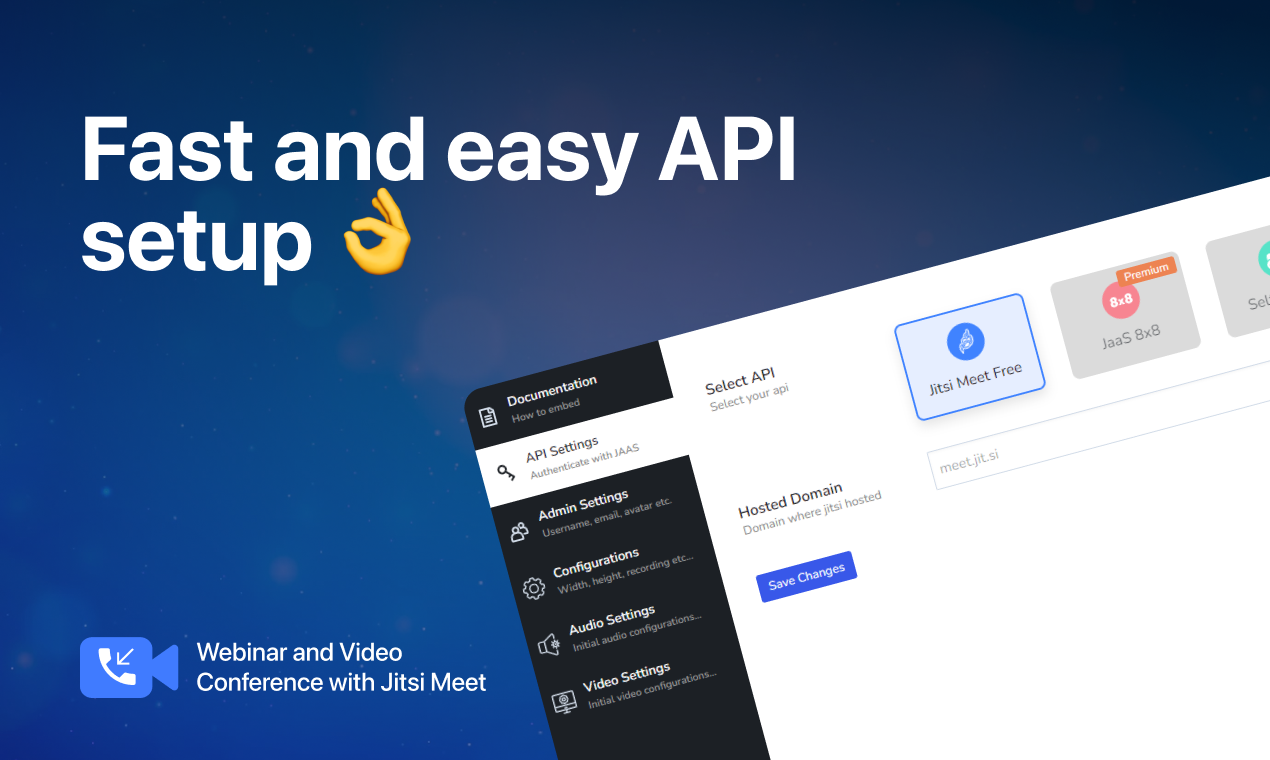
Branding Settings 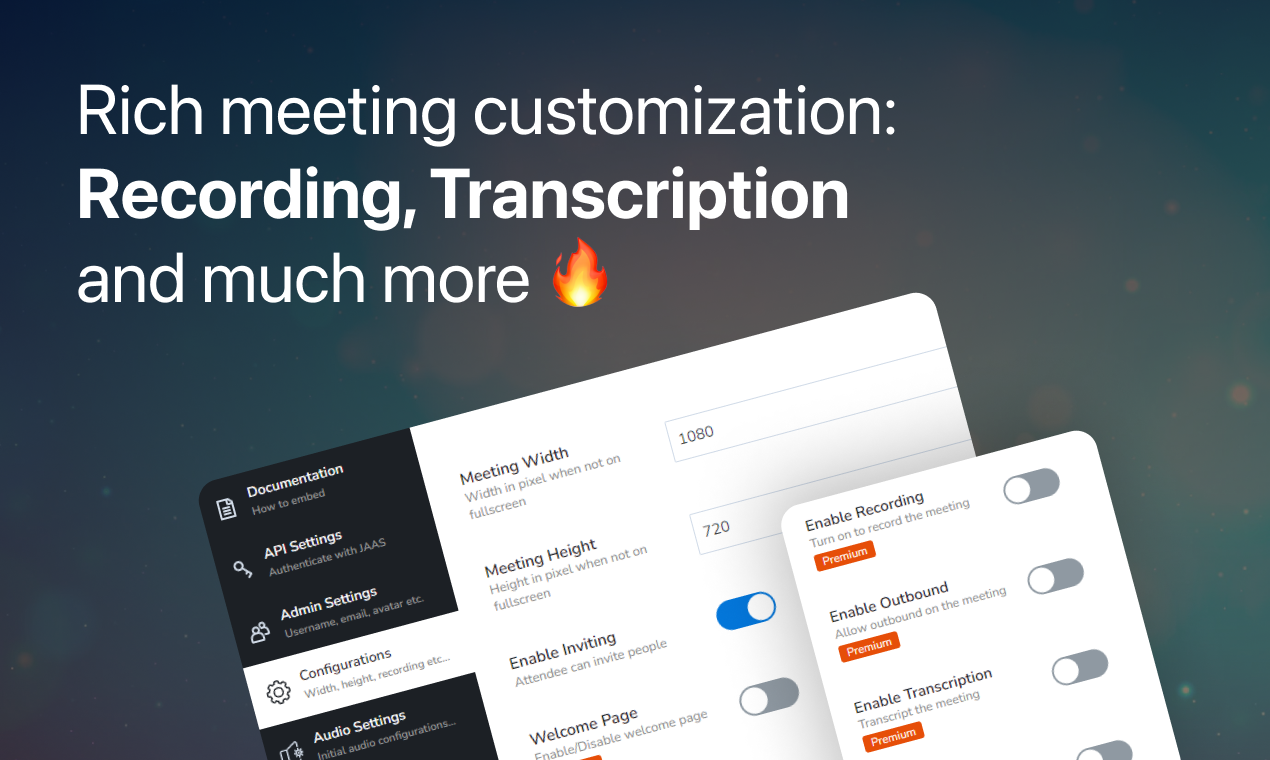
API Settings 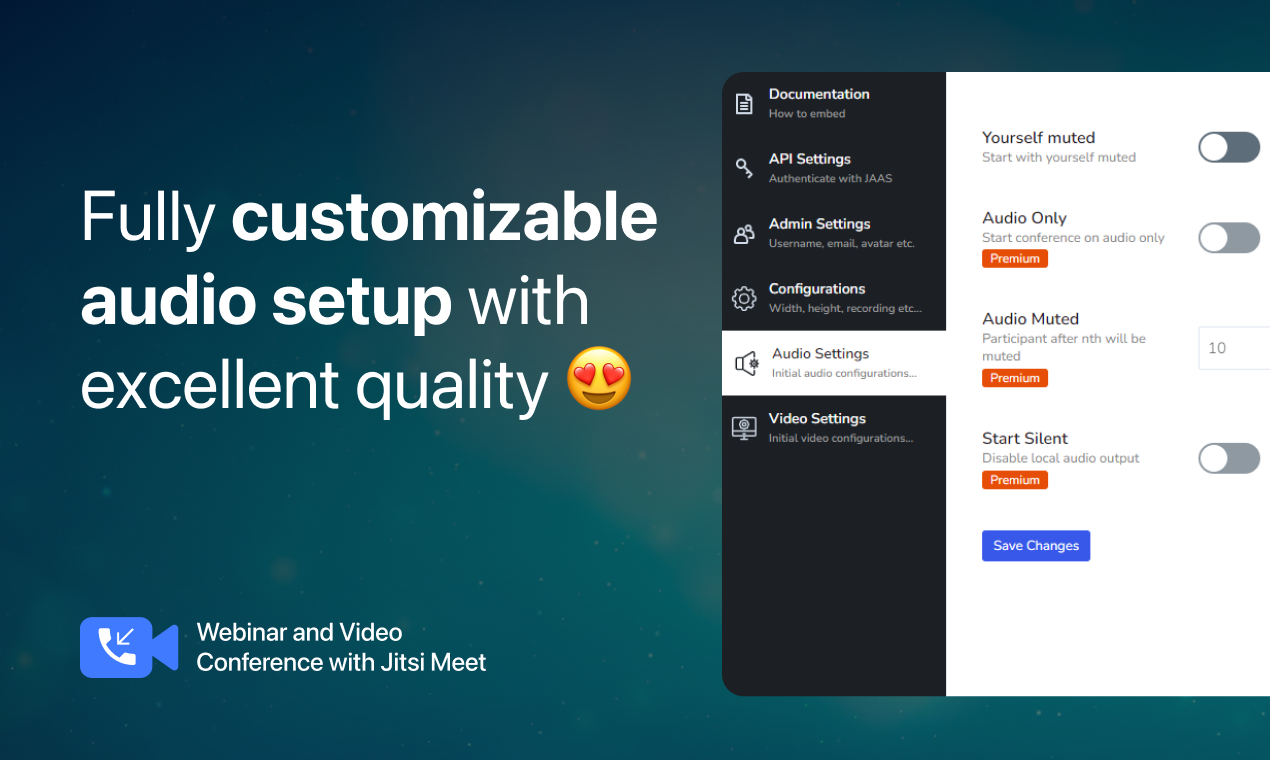
Audio Settings 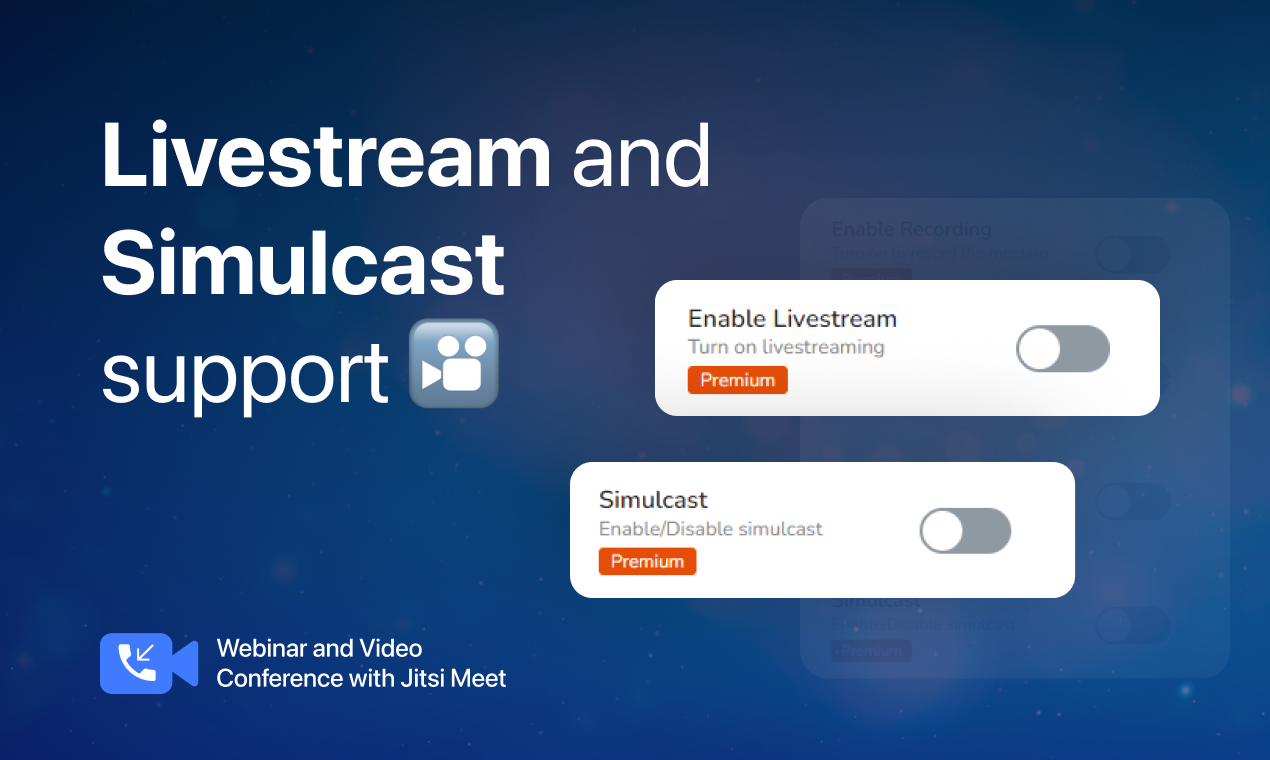
Configurations 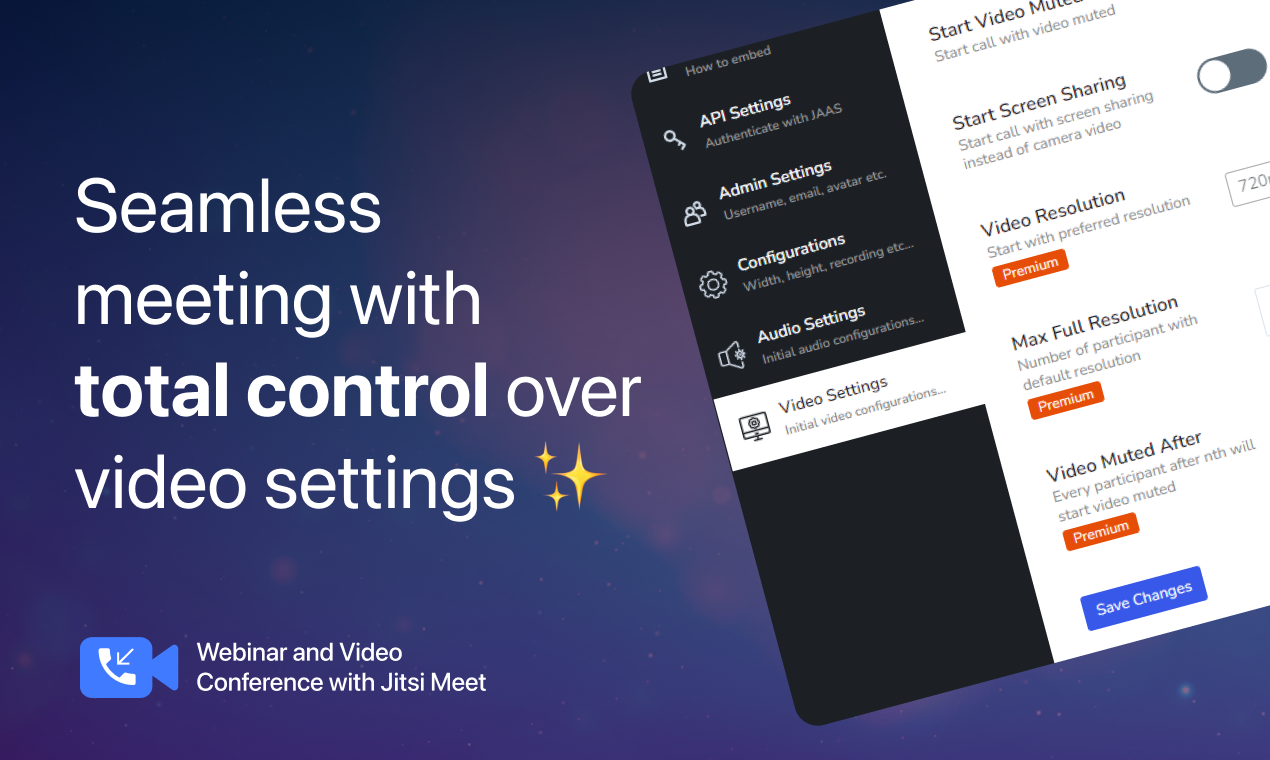
Video Settings 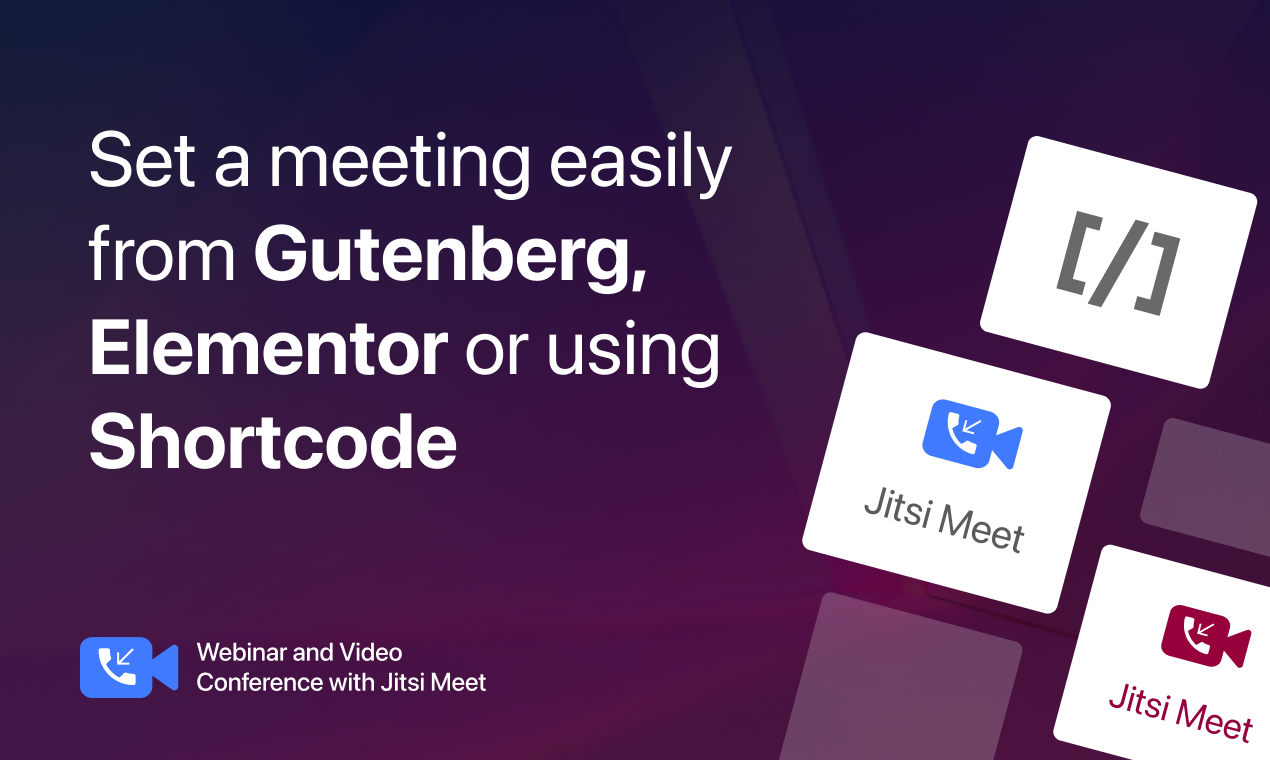
Create Meeting 
Meeting Registration 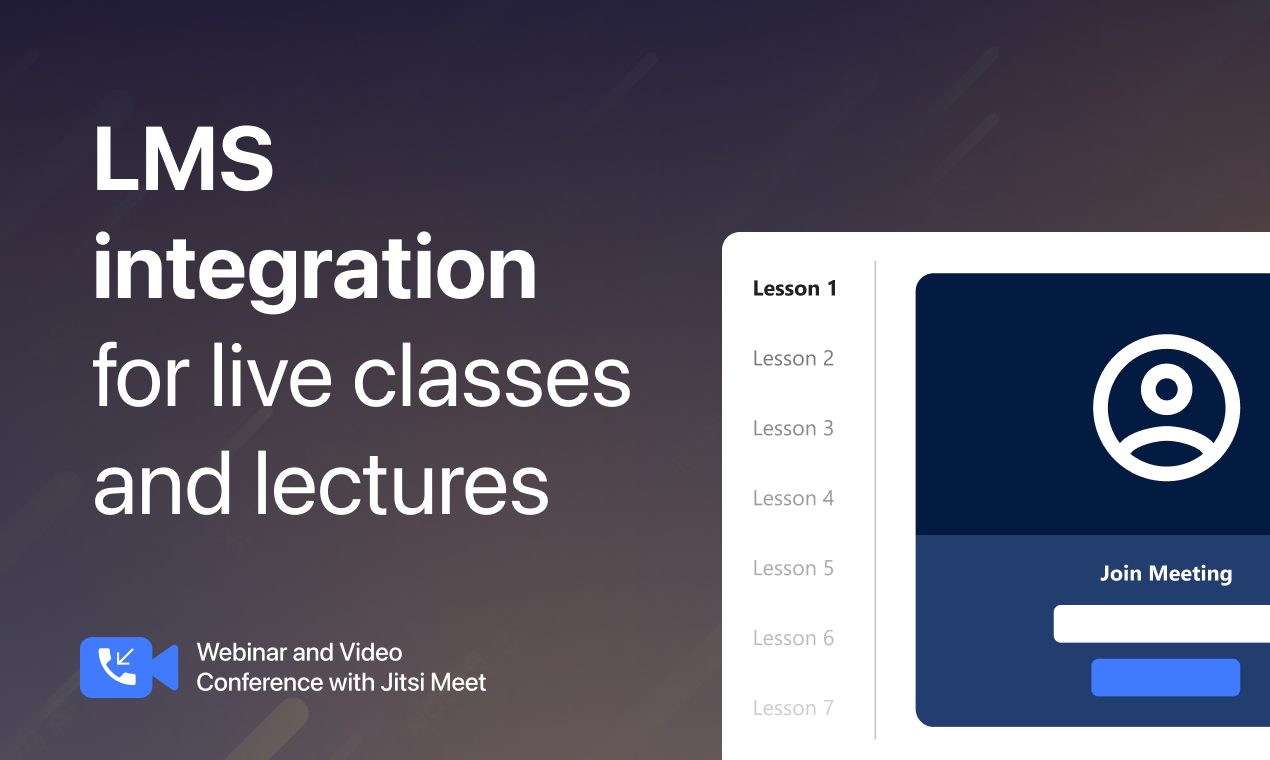
LMS Integration 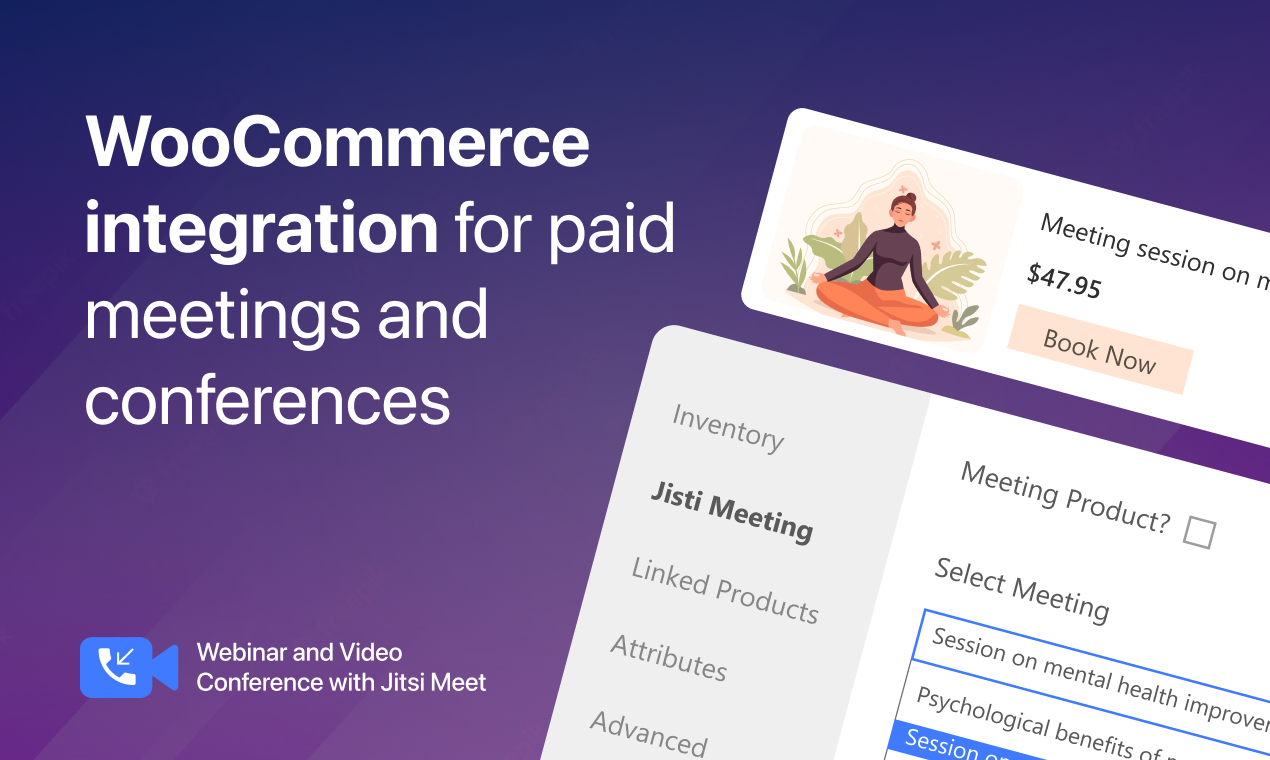
WooCommerce Integration 1
Blöcke
Dieses Plugin unterstützt 1 Block.
- Jitsi Meet
Installation
- Go to your WordPress Dashboard.
- Navigate to Plugins > Add New.
- Search for Webinar and Video Conference with Jitsi Meet
- Click on Install and Activate.
FAQ
-
How quickly can I get started?
-
Just activate the plugin on your website and get started within minutes. Watch this Video.
-
Does the plugin support Gutenberg and Elementor?
-
Yes, you can create meetings as Gutenberg block and Elementor widget using the Jitsi Meet plugin.
-
Is there any shortcode?
-
Yes, with the shortcode [jitsi-meet-wp/], you can easily add the Jitsi Meet conference room where there is no Gutenberg support.
-
Can I create a custom domain?
-
You can create branded meeting URL for your website with the custom domain feature of Jitsi Meet.
-
Is Jitsi Meet safe?
-
Yes, it’s absolutely secure. We’re committed to protecting your privacy and your data while you conduct online meetings.
-
I want a refund for my purchase of the plugin. What is the procedure?
-
We have a 14 days refund policy. Please email us at support@wppool.dev explaining why you would like to get a refund.
-
Can I use self-hosted Jitsi Meet with this plugin?
-
Yes, You can use Jitsi Meet free – https://meet.jit.si, JaaS – https://jaas.8×8.vc or self-hosted Jitsi Meet with our plugin as you need as per your usage requirements.
-
Can I use my branded logo and domain?
-
Yes, You can use your own branded logo and domain when using JaaS – https://jaas.8×8.vc or self-hosted Jitsi Meet.
-
Can I record the meeting?
-
You can record meetings in the premium version of the plugin. You will also require a JaaS 8*8 subscription.
-
How many Active users do we have?
-
On the free version, you can have 25 monthly active users. With JaaS Premium plans you can have 3000 or more active users depending on your plan. We are not associated with JaaS and they reserve the right to change their plans anytime. Our plugin works as a bridge between Jitsi Meet and WooCommerce.
When you have a JaaS subscription then 25 monthly active users are free, 300 on basic, 1500 on JaaS Standard and 3000 on Business package.
Participants are limited to JaaS 500/meetings, to increase the limit you will need to change your plan according to your need.
You can have as many meetings as you want for self-hosting. It depends on where you host the Jitsi Meet server and how much resources you allocate.
Although Jitsi suggested 75 participants can attend for flawless meetings. But you can manage thousands of meetings based on the resources allocated to your server.
-
Where will my meeting recordings be stored?
-
You can store the recording on Dropbox (requires a JaaS premium subscription). But JaaS has Dropbox with Google Cloud. Either way recording feature requires a JaaS 8*8 subscription.
-
Can I do Live Streaming?
-
Yes, You can do live streaming on YouTube from the Meeting.
Rezensionen


Mitwirkende & Entwickler
„Webinar and Video Conference with Jitsi Meet – Create Branded Webinars for WordPress, Meetings & Livestreaming“ ist Open-Source-Software. Folgende Menschen haben an diesem Plugin mitgewirkt:
Mitwirkende


„Webinar and Video Conference with Jitsi Meet – Create Branded Webinars for WordPress, Meetings & Livestreaming“ wurde in 6 Sprachen übersetzt. Danke an die Übersetzerinnen und Übersetzer für ihre Mitwirkung.
Interessiert an der Entwicklung?
Durchstöbere den Code, sieh dir das SVN Repository an oder abonniere das Entwicklungsprotokoll per RSS.
Änderungsprotokoll
2.6.8 – 04 Apr 2024
- Improvement: Enhanced compatibility to support WordPress 6.5
2.6.7 – 31 Mar 2024
- Fix: Fixed Appsero client Not found error
2.6.6 – 28 Mar 2024
- Fix: Fixed Appsero SDK conflict with other plugins
2.6.5 – 11 Mar 2024
- Improvement: Updated Appsero client
2.6.4 – 29 FEB 2024
- Fix: Fixed Cross Site Scripting (XSS) vulnerability
2.6.3 – 23 JAN 2024
- Fix: Minor bug fixes and enhancement
2.6.2 – 27 DEC 2023
- Fix: Resolved the Jitsi free API moderator login issue
- Fix: Fixed the issue where the Mic and Video were not accessible when using shortcode
- Improvement: Updated the meeting name to „Example meeting“ for improved clarity
2.6.1 – 21 DEC 2023
- Fix: Fixed conflict with with Royal Elementor Addons
2.6.0 – 18 DEC 2023
- New: Added domain field in Gutenberg block
- Improvement: Fixed meeting name issue and enhanced free meeting permissions
- Improvement: Updated API settings and added public server for meetings
2.5.8 – 03 DEC 2023
- Fix: Fixed warning issue during appointment booking with Jitsi Meet and Woocommerce plugin.
- Fix: Resolved login problems with JaaS 8×8 Free API when creating meetings with Gutenberg block.
2.5.7 – 08 NOV 2023
- Improvement: Enhanced compatibility to support WordPress 6.4
- Improvement: Updated new popup design
2.5.6 – 02 NOV 2023
- Fix: Fixed an issue that caused a fatal error when calling the set_campaign method on null due to a conflict between the SDK and some plugin
2.5.5 – 23 OCT 2023
- Improvement: Updated new popup design
2.5.4 – 16 OCT 2023
- Fix: Fixed App ID, API key & private key missing notice when meeting generated with shortcode or Gutenberg block
2.5.2 – 04 OCT 2023
- New: Added „learn more“ CTA in addon cart redirecting to multivendor docs
- Improvement: Removed Jitsi addon from the WP plugin list and multisite network
- Fix: Fixed the warning notice while replacing the ultimate version and addon
2.5.1 – 25 SEPT 2023
- Fix: Displayed App id, Api key, Private key missing notice only when selected Api JaaS 8×8
- Fix: Fixed bug undefined constant JITSI_MEET_WP_VERSION
2.5.0 – 24 SEPT 2023
- New: WCFM Compatibility with jitsi meet
- Improvement: Required virtual field in Dokan when checked Jitsi Meet as product
2.4.1 – 19 SEPT 2023
- Improvement: Updated WPCS to version 3.0.0
- Fix: Fixed security issues for WPCS version 3.0.0
2.4.0 – 13 SEPT 2023
- New: Added MultiVendorX compatibility with Jitsi Meet
- New: Added loader while activating/deactivating multivendor add-ons
- Improvement: Modified addon installation and updating process
- Improvement: Updated the „open in new“ icon link from addon cart
2.3.1 – 23 AUG 2023
- New: Added „Settings“ CTA in the plugin list page for Jitsi Pro and Ultimate version
- Improvement: Changed the „open in new“ icon & link in addon page
- Fix: Fixed typo spacing in affiliate notice CTA
- Fix: Locked all ultimate feature when ultimate plugin activate with pro license
2.3.0 – 20 AUG 2023
- Fix: Fixed five minutes limit issue
2.2.1 – 14 AUG 2023
- Improvement: If vendor checked Jitsi-Meet as a product, only then the „Choice meeting“ field would be displayed. And it would be a mandatory field if the Jitsi Meet is checked.
2.2.0 – 10 AUG 2023
- New: Introduced „Multivendor Addon for Jitsi Meet“, currently compatible with Dokan
- Improvement: Enhanced compatibility to support WordPress 6.3
2.1.5 – 04 JULY 2023
- Fix: Update affiliate notice text & links
2.1.4 – 04 JULY 2023
- Fix: Enhanced affiliate notice mechanism
- Fix: Enhanced review notice mechanism
- Improvement: Screen sharing enable & disable feature
2.1.3 – 26 JUNE 2023
- Fix: Minor bug fixes and enhancement
2.1.2 – 25 JUNE 2023
- Fix: Minor bug fixes and enhancement
2.1.1 – 29 MAY 2023
- New: Multisite compatibility
- Fix: Invite option not available with the Elementor block
- Fix: Global configuration settings should reflect on the meeting posts for the first time while creating a new meeting
- Fix: Start Video Muted, Enable Outbound, Welcome Page & Enable Transcription global settings not saved in the database
- Improvement: Removed recording, livestreaming, transcription & outbound-call settings from single meeting and moved to the global settings
2.1.0 – 30 APR 2023
- New: Feature to hide/show Jitsi Meeting sidebar
2.0.5 – 19 APR 2023
- Fix: Fixed FluentCRM not collect leads
- Fix: Minor bug fixes and enhancement
2.0.4 – 29 MAR 2023
- Improvement: Checked compatibility with WordPress 6.2
- Improvement: Installing pro and ultimate should redirect to the License Activation page
- Fix: Should register meeting not working
- Fix: Warning message while choosing JaaS or Self hosted option in welcome page for pro & ultimate version
- Fix: Not sending meeting mail and not able to login using registered mail for WooCommerce product
2.0.3 – 16 MAR 2023
- Improvement: Updated WPPOOL SDK
- Improvement: Updated Appsero Client
- Fix: FluentCRM not manage leads
2.0.2 – 13 MAR 2023
- Fix: Resolved bug when compatible with „Elementor Header & Footer Builder“ plugin
- Fix: Fixed critical error on front-end when pro license is activated
- Fix: Join Meeting interface is showing admin username and profile photo for all meeting attendee when JaaS 8×8 API is used
- Fix: All meeting attendee joined as modarator
- Fix: When admin settiings is empty then loaded from cache
- Fix: If enabled ‚Recurring Meeting“ does not show meeting interface in the frontend
- Improvement: Updated WPPOOL SDK
2.0.1 – 15 FEB 2023
- Fix: Minor bug fixes and enhancement
2.0.0 – 13 FEB 2023
- Fix: All security issues have been resolved
- Improvement: Strictly followed PHPCS and WPCS as coding standard
- Improvement: Updated WPPOOL SDK
- Fix: The compatibility issue with WordPress 6.1 has been fixed
1.2.5 – 3 OCT 2022
- Regular user experience checked and improved
1.2.4 – 6 SEP 2022
- Checked and fixed compatibility with WordPress 6.0.2
1.2.3 – 19 AUG 2022
- Regular user experience checked and improved
1.2.2 – 3 AUG 2022
- Checked and fixed compatibility with WordPress 6.0.1
- Updated and optimize user friendly and organized readme
1.2.1 – 29 MAY 2022
- Checked and fixed compatibility with WordPress 6.0
1.2.0 – 30 MAR 2022
- Checked and fixed regular compatibility checking
- Fixed contact subscription issue
1.1.10 – 13 MAR 2022
- Fix: JavaScript conflict error with Classic Editor and All in One Seo plugins
- Improved: Tested and made compatible with WordPress 5.9.2
1.1.9 – 08 MAR 2022
- Improved: Tested and made compatible with WordPress 5.9.1
- Fixed: Logged in user not automatically added to room
1.1.8 – 15 FEB 2022
- Improved: Elementor 3.5.5 compatibility
- Improved: New icon on gutenberg block
1.1.7 – 26 JAN 2022
- Improved: Tested and make compitable with WordPress 5.9
1.1.6 – 02 JAN 2022
- Added: Enabling/Disabling inviting
- Improved: Tested and make compitable with PHP 8.1
1.1.5 – 23 DEC 2021
- Updated: Frequently asked questions
- Modified: Change Headway position
1.1.4 – 19 DEC 2021
- Fixed: Force welcome screen issue
- Added: Skip button on welcome screen
- Updated: Logo and assets
1.1.3 – 06 DEC 2021
- Added: Enable using your own hosted jitsi
- Added: Welcome screen on activation to setup jitsi api source
1.1.2 – 15 NOV 2021
- Improved: Tested and make compitable with WordPress 5.8.2
- Added: Review & Affiliate banner on admin
1.1.1 – 25 OCT 2021
- Updated: Description on plugin page
- Updated: Screenshots on plugin page
- Added: Screenshots on plugin page
1.1.0 – 29 SEP 2021
- Modified: Integration with Jitsi Pro and Jitsi Ultimate
1.0.9 – 23 SEP 2021
- Modified: Link to pro version
- Added: Headway changelog viewer on admin menu
1.0.8 – 15 SEP 2021
- Improvement: Randomize the meeting name on shortcode
1.0.7 – 14 SEP 2021
- Improvement: Improved compatibility for WordPress 5.8.1
- Improvement: Changelog Reorganized
1.0.6 – 06 SEP 2021
- Updated: Setting page
- Added: Elementor Widget
1.0.5 – 12 APR 2021
- Updated: Appsero client
- Added: Deactivation reasons
1.0.4 – 08 NOV 2020
- Added: Start with audio muted option
- Added: Start with video muted option
- Added: Start with screen sharing option
1.0.3 – 17 AUG 2020
- Mobile responsive fixed with app download option
1.0.2 – 14 AUG 2020
- Enabled name edit on gutenberg block
- Optimized gutenberg block
1.0.1 – 12 AUG 2020
- Shortcode added
1.0.0 – 22 JUL 2020
- Initial stable realese