

Beschreibung
BeautyForms Form Builder is a lightweight, block-native form builder for the WordPress block editor. A form is just a block: drop in a Form block, nest the field blocks you need, and publish. Submissions are validated on the server and stored as entries.
Because every field is a real block, forms live inside normal posts and pages — no shortcodes, no embeds, no separate builder screen. Reuse a form anywhere with core synced patterns.
Fields
- Text, Email, Textarea, Number, Phone, URL
- Select, Radio, Checkbox (single consent and multiple)
- Date, Hidden, Submit
Features
- Native styling — fields use the block editor’s own spacing, typography, color, and border controls. Nothing hand-rolled to relearn.
- Server-side validation — the server rebuilds the form’s field schema from the source post and validates every submission against it. The browser’s field list is never trusted.
- Spam protection — a honeypot field and a submission time-trap, both on by default.
- Email notifications — send submissions to one or more recipients with a configurable subject and from address.
- Entry storage — submissions are saved as a
beautyforms_entrycustom post type with one meta value per field. - Success behavior — show a message or redirect to a URL.
- Developer friendly — extend the field allowlist through the
beautyforms_field_blocksfilter and hookbeautyforms_submission_savedto react to new entries.
License
BeautyForms Form Builder is distributed under the terms of the GNU General Public License v2 or later. See https://www.gnu.org/licenses/gpl-2.0.html for more details.
Screenshots
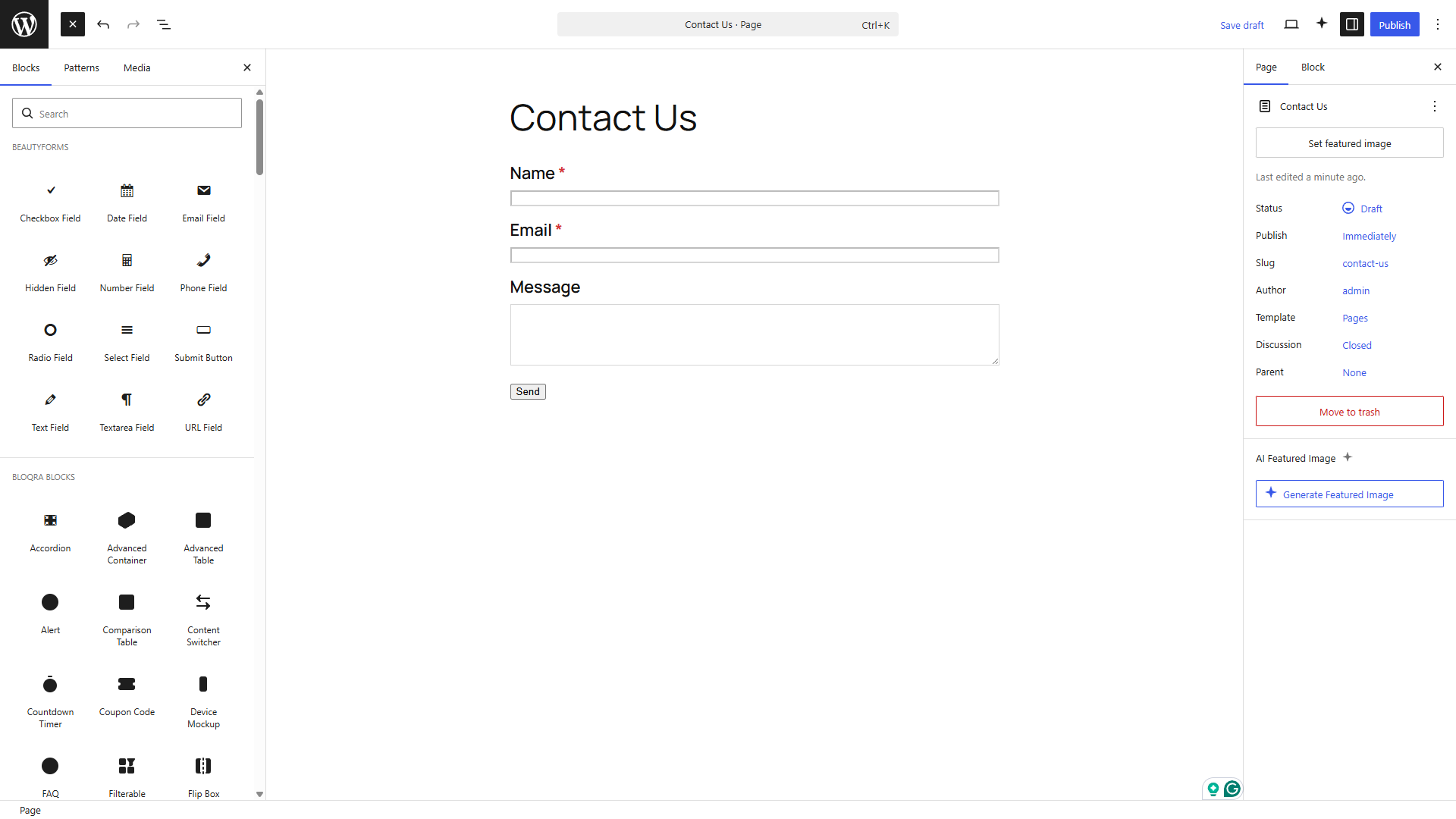
Blöcke
Dieses Plugin unterstützt 13 Blöcke.
- Select Field A dropdown select field.
- Hidden Field A hidden field carrying a preset value.
- Form A form built from field blocks. Add fields inside, then set recipients and success behavior.
- Email Field An email address field with validation.
- Text Field A single-line text field.
- Textarea Field A multi-line text field.
- URL Field A URL field with validation.
- Submit Button The button that submits the form.
- Date Field A date picker field.
- Radio Field A single-choice radio button group.
- Phone Field A telephone number field.
- Number Field A numeric field with optional min, max and step.
- Checkbox Field A single consent checkbox or a multi-choice group.
Installation
- Upload the plugin files to
/wp-content/plugins/beautyforms-form-builder, or install through the WordPress plugins screen. - Activate the plugin from the Plugins screen.
- Edit any post or page, add the Form block, and insert the field blocks you need.
- Configure recipients and success behavior in the Form block settings, then publish.
FAQ
-
Where are submissions stored?
-
Each submission is stored as a
beautyforms_entrycustom post type with one meta value per field. Notification emails are sent to the recipients you configure. -
Does it work with the classic editor?
-
No. BeautyForms Form Builder is built exclusively for the WordPress block editor.
-
How do I reuse a form across pages?
-
A form is a normal block, so use a core synced pattern to reuse it anywhere.
-
Can developers add their own field types?
-
Yes. Register a block in the
beautyformscategory and append it to the allowlist with thebeautyforms_field_blocksfilter.
Rezensionen
There are no reviews for this plugin.
Mitwirkende & Entwickler
„BeautyForms Form Builder“ ist Open-Source-Software. Folgende Menschen haben an diesem Plugin mitgewirkt:
Mitwirkende
Übersetze „BeautyForms Form Builder“ in deine Sprache.
Interessiert an der Entwicklung?
Durchstöbere den Code, sieh dir das SVN Repository an oder abonniere das Entwicklungsprotokoll per RSS.
Änderungsprotokoll
1.0.0
- Initial release.