

Beschreibung
WebAuthn is a new way for you to authenticate in web. It helps you replace your passwords with devices like Passkeys, USB Keys, fingerprint scanners, Windows Hello compatible cameras, FaceID/TouchID and more. Using WebAuthn, you can login to your a website with a glance or touch.
When using WebAuthn, you just need to click once and perform a simple verification on the authenticator, then you are logged in. No password needed. If your device supports Passkey, your authenticator can roam seamlessly across multiple devices for a more convenient login experience.
WP-WebAuthn is a plug-in for WordPress to enable WebAuthn on your site. Just download and install it, and you are in the future of web authentication.
WP-WebAuthn also supports usernameless authentication.
This plugin has 4 built-in shortcodes and 4 built-in Gutenberg blocks, so you can add components like register form to frontend pages.
Please refer to the documentation before using the plugin.
This plugin currently has BETA multisite support, if you find any issue in multisite, feel free to open an issue on GitHub.
PHP extensions gmp and mbstring are required.
WebAuthn requires HTTPS connection or localhost to function normally.
You can contribute to this plugin on GitHub.
Please note that this plugin does NOT support Internet Explorer (including IE 11). To use FaceID or TouchID, you need to use iOS/iPadOS 14+.
Security and Privacy
WebAuthn has become a W3C Recommendation since March 2019, which enabling the creation and use of strong, attested, scoped, public key-based credentials by web applications, for the purpose of strongly authenticating users using hardware authenticators. WebAuthn focuses on both security and privacy, it offers the possibility to create a secure authentication process without having to transfer any private data such as recognition data and fingerprint data. It will be the future of web authentication.
GDPR Friendly
When authenticating with WebAuthn, no private data will leave user’s device and no third-party involvement. The credentials transferred are not associate to any user’s information but only for authentication. It’s GDPR Friendly.
Screenshots


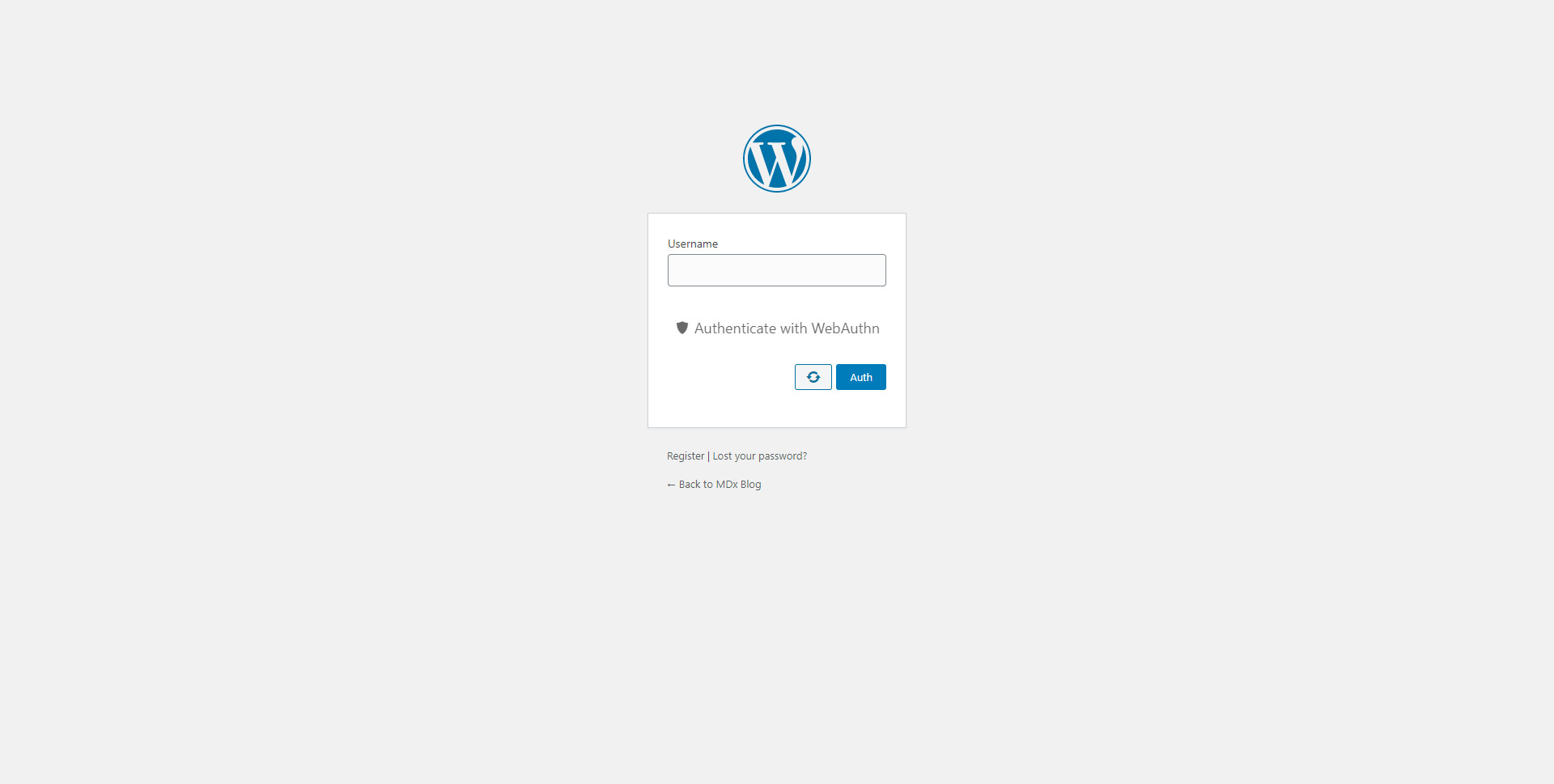


Blöcke
Dieses Plugin unterstützt 1 Block.
- WebAuthn Login Form
Installation
Notice: PHP extensions gmp and mbstring are required.
- Upload the plugin files to the
/wp-content/plugins/wp-webauthndirectory, or install the plugin through the WordPress plugins screen directly - Activate the plugin through the ‚Plugins‘ screen in WordPress
- Use the Settings->WP-WebAuthn screen to configure the plugin
- Make sure that all settings are set, and you can start to register authenticators in your profile page
FAQ
-
What languages does this plugin support?
-
This plugin supports English, Chinese (Simplified), Traditional Chinese (Hong Kong), Traditional Chinese (Taiwan), Turkish, French & German currently. If you are using WordPress in none of those languages, English will be displayed as default language.
All translation files are hosted on translate.wordpress.org and GitHub. You can help us to translate WP-WebAuthn into other languages!
-
What should I do if the plugin could not work?
-
Make sure your are using HTTPS or host your site in
localhost. Then check whether you have installed the gmp extension for PHP.If you can’t solve the problem, open an issue on GitHub with plugin log.
-
Which browsers support WebAuthn?
-
The latest version of Chrome, FireFox, Edge and Safari are support WebAuthn. You can learn more on Can I Use.
To use FaceID or TouchID, you need to use iOS/iPadOS 14+.
Rezensionen


Mitwirkende & Entwickler
„WP-WebAuthn“ ist Open-Source-Software. Folgende Menschen haben an diesem Plugin mitgewirkt:
Mitwirkende
„WP-WebAuthn“ wurde in 9 Sprachen übersetzt. Danke an die Übersetzerinnen und Übersetzer für ihre Mitwirkung.
Übersetze „WP-WebAuthn“ in deine Sprache.
Interessiert an der Entwicklung?
Durchstöbere den Code, sieh dir das SVN Repository an oder abonniere das Entwicklungsprotokoll per RSS.
Änderungsprotokoll
1.4.1
Fix: Error when saving settings
1.4.0
Add: „Passkey“ terminology option
Add: Multisite support (beta)
Update: Improved Passkey experience on login page
Update: Minimum PHP version raised to 7.4
Update: Translations
Update: Third party libraries
Chore: Updated role checking
1.3.4
Fix: Make sure AJAX works with extra spaces/new lines
Note: We’ll soon drop support for PHP 7.4 and below. Please upgrade your PHP version to 8.0+.
1.3.3
Fix: Support for PHP 7.2+
1.3.2
Fix: XSS issues in login form shortcode
Fix: Wrong user variable check (thanks to bfren)
Fix: Javascript error in login form shortcode (thanks to David Stone)
Fix: Javascript error with certain authenticator names in authenticator list tables
1.3.1
Update: Translations
1.3.0
Add: Allow to login with email addresses
Add: Disable password reset
Add: After user registration
Add: Spanish-Latam translation (thanks to Eduardo Chongkan), Catalan translation (thanks to Aniol Pagès), Spanish and Italian translations (thanks to AlwaysReading)
Fix: Undefined username in Gutenberg Blocks
Fix: 2FA compatibility
Update: Translations
Update: Third party libraries